Thursday, 22 January 2015

Life Drawing Sessions 2&3 Term 2

Here are a various selection of life drawings from sessions 2 and 3 this term. In both of these sessions I have not only done the traditional charcoal and pencil drawings but also ventured into other media and tried out felt tips in different styles to add some colour and create a more interesting visual effect for the viewer.


Felt Tips Overlay


Biro Pen in a Geometric Style


Simple Pencil Outline with basic shading


Felt Tips showing highlight and shadow


Felt Tips in a spiral style showing highlights, mid-tones and shadow


Felt Tips using bright contrasting colours to show highlights, mid-tones and shadow


Friday, 9 January 2015

Lizard Assignment

For this lesson we were set the task of digitally painting the given lizard sketch using quick digital drawing techniques to speed up the process. Some of the techniques included: adding texture, using the lasso tool, using soft and hard edge brushes in larger sizes to block out the colours quickly and also using a clipping mask of the overall figure to stay within the lines and keep the overall drawing neat.

To start off the process I created a clipping mask of the overall figure in a silhouette style using a given colour and blocking this out using a large sized hard edge brush and then using a large hard edge eraser to clean up the outlines. After completing this I then started by using the lightest colour in the provided colour swatches and blocked out the lightest highlighted areas on the lizard man using a large soft edge brush at about 15% opacity and building up the colour in various places to give the effect of depth within the highlights and how the light is falling on certain places then creating bounce off light in others.


I then began to build up the various colours adding lighter and darker colours and switching between the two to build up a realistic, 3D effect on the overall lizard man.


Once I was happy with the overall base effect of the lizard man I then copied and pasted the original clipping mask, silhouette layer and then using a soft edged eraser then went back and erased all of the areas over the skin and highlighted areas, leaving the armor darker.


I then worked back into the armor and skin adding various colours from the pre-given colour swatches to build up the overall image and adds a 3D effect that lifts the lizard man off the page and brings him to life.


Once I was happy I then began to add texture to the overall lizard man and used the lasso tool to draw around the areas I wanted to add texture to one by one and then added a found texture of firstly reptile scales and used the 'paste special - paste into' function under the edit menu and then edited this texture by lowering the opacity, changing the layer mode to soft lighting and warping and scaling the texture to create an effect overall look. I then completed the same for the armor, drawing round it using the lasso tool piece by piece and adding a found worn metal texture to create a realistic, battle used effect.


Overall I am really happy with my final piece and feel I have used the layers and tools learnt to their full advantage to create an interesting and effective final outcome, created in a fairly quick time period which can be useful when creating concepts for clients or in tight deadlines, whilst still creating an effective final outcome.


Friday, 12 December 2014

Temple Model

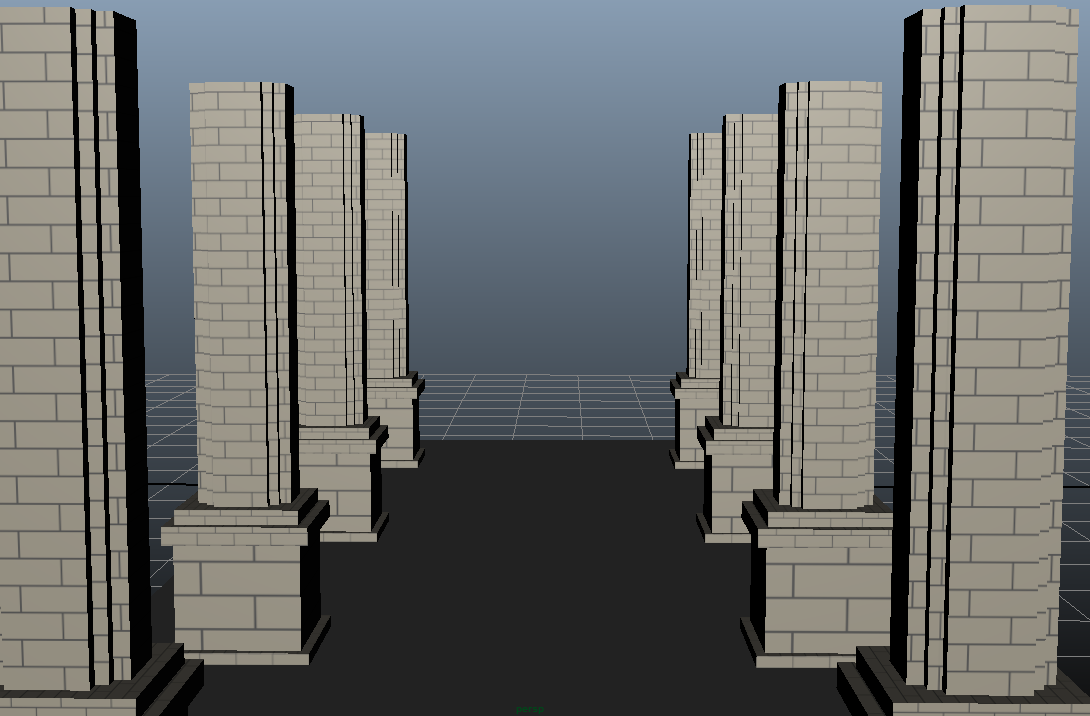
For this assignment we were set the task of a modelling a temple from a given image. We were given the reference image to work from and the textures to apply to the model and was set the task of modelling the temple to the best of our ability using the skills learned in the lessons. I started off modelling the temple by first creating the pillars and then building up the temple from this creating it in parts and applying the UV unwrapping and textures to bring the temple to life.  I am really pleased with the final model and feel as though I have successfully applied the skills I have learnt in lesson to create this model, I did encounter a few issues whilst modelling such as when applying the textures some of them were blurred even though the UV wrapping was fine, however overall the whole model and textures turned out really well with the time I had.


Reference Image to model from


Given textures to apply to the final model


Final model of the temple

Thursday, 11 December 2014

Head Size Task - Elf and Dwarf Concepts

For this task in class we had to create a Elf and Dwarf concept based on the head count rule to get the correct sizes and proportions for our characters. The Elf had to be 9 1/2 heads tall and the Dwarf had to be 4 heads tall to show a clear contrast and difference in the way the characters work, with the Elf being more slender and tall and the Dwarf being more bulky and short.

I first started off this task by researching into some current concepts out there for both Elves and Dwarves to see what designs and ideas I could take inspiration from and incorporate into my own work.


I then started off my own concepts by creating a grid using the oval shape in Photoshop to represent the heads, the first scale being 9 1/2 heads tall for the Elf and the other being 4 heads tall for the Dwarf. I then painted in my Elf and Dwarf concepts building up in colours and shades following along with the head scale to create an accurate look to both of my concepts. I am really pleased with my final concepts and although they are rough and I could spend more time working them up and adding detail to bring them to life I am pleased with the current state and feel they show off what I was assigned to do in this task.


Thursday, 4 December 2014

Skeleton Assignment

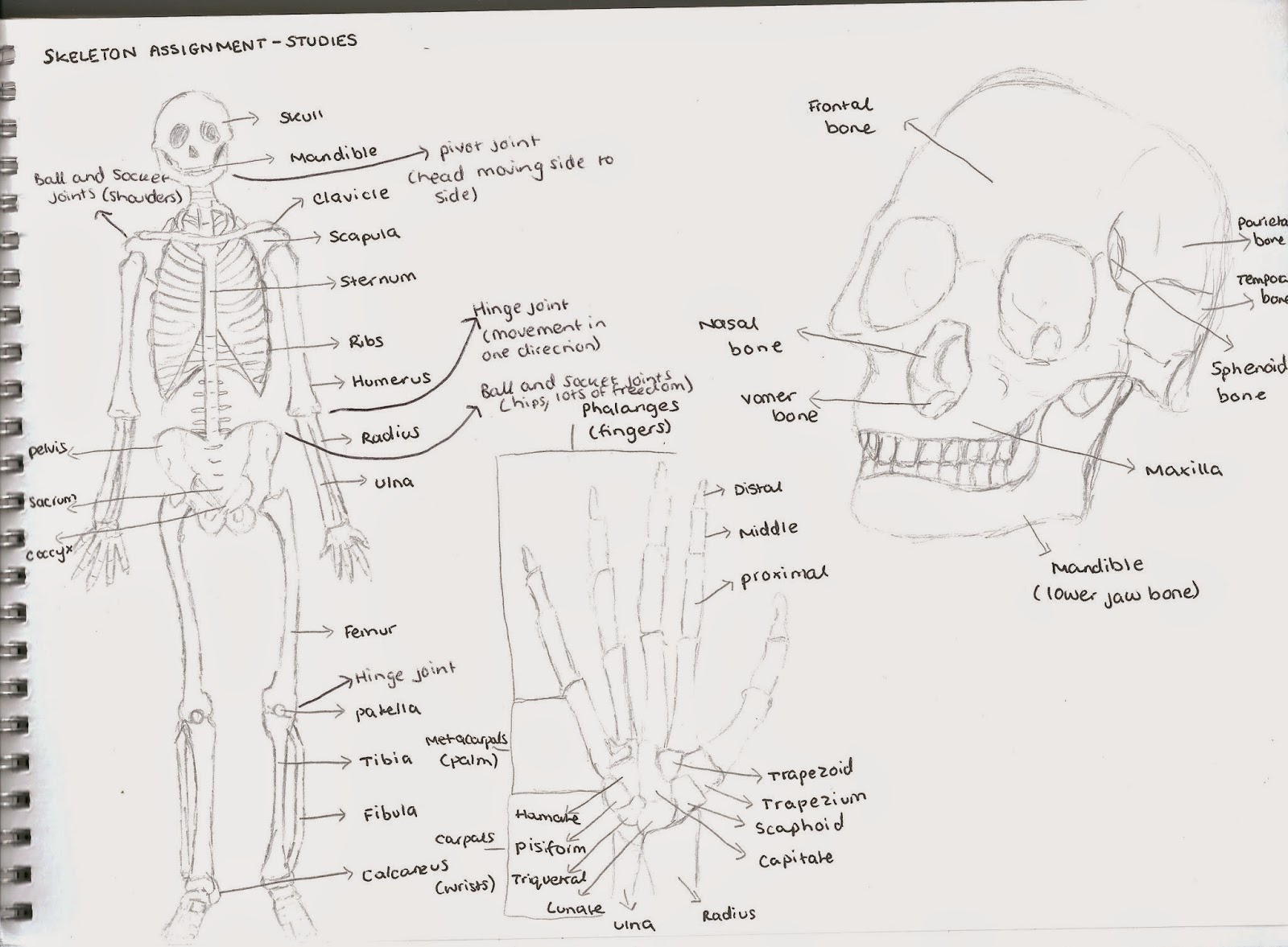
For this homework assignment we were set the task of firstly creating a page of studies of the human skeleton using online resources as well as books and journals to practice the basics of the skeleton and study various major bones in the body and how the joints worked and what type of joints they were.


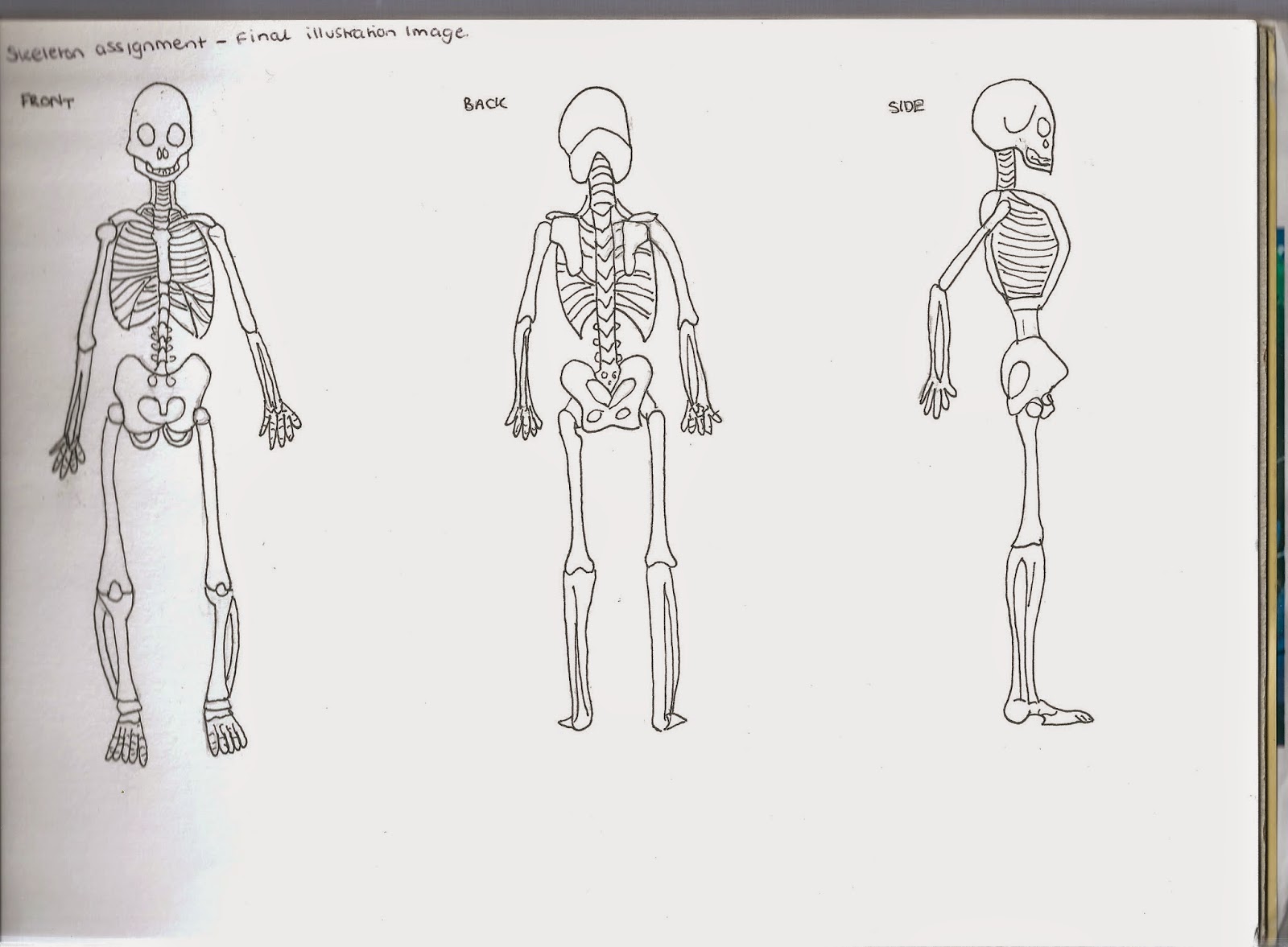
The second part of the assignment was to use these drawings and references and create a final drawing of the full human skeleton from the front, back and side and then take this image forwards to create two different versions of this.


I then took this drawing forwards and scanned this in to create two copies of this image and labelled one with the major bones on the body and the other with the major joints and the type of joints they were.


Bone Diagram


Joint Diagram

Overall I am really pleased with my final diagrams and I think I will find these very useful in the future as reference for my own traditional and digital drawings thinking about proportion and scale and also as reference for when I'm modelling and animating characters and thinking about the way joints and bones work together to create movement.


Various Life Drawing Uploads

Here is a selection of life drawing work over the course of a few life drawing sessions, the majority being from the most recent session using charcoal and chalk as I found my work to be really strong with this media however there is also a selection of pen drawings and other plain charcoal drawings. I have not posted many life drawing sessions as I haven't liked my outcomes from the sessions as I feel either I haven't worked as well as I hoped with the media or my perspective has been off but I am really pleased with the recent session.


Charcoal and Chalk - Tonal Study


Charcoal and Chalk - Tonal Study


Charcoal and Chalk - Tonal Study


Charcoal and Chalk - Tonal Study


Charcoal and Chalk - Tonal Study


Charcoal - Tonal Study


Biro Pen Study

Thursday, 27 November 2014

Rigging a Fish

For this homework assignment we had the task of following along with a Lynda tutorial using a given fish model and rigging this fish model to make the fish swim along. In the tutorial we were given the fish model but had to create all the joints (bones) and the skin mesh as well as animating the final fish to create the overall fish swimming animation. I feel as though I have completed this task well and found the knowledge useful for when I want to apply this to my own future props to put into my games.